Duo Security
From six workflows to three patterns and zero downgrades
How I redesigned a broken enterprise authentication experience before it cost Duo more customers
Why this mattered
Duo Device Trust was meant to provide security but it was becoming a customer retention risk. One enterprise customer had already downgraded. With 8 in 10 of Duo customers hitting an unpredictable authentication experience, more were likely to follow. This was an active retention crisis.
What I did
I led the end-to-end redesign of the MVP from diagnosing the root cause to shipping a solution. That meant facilitating tradeoff decisions with the team, designing three flows that worked as a system, and validating the approach with real customers before rolling it out to 10,000+ accounts.
Impact delivered
- -Shipped in 14 weeks
- -Zero customer downgrades citing Device Trust post-launch
- -Help desk resolution time decreased significantly
- -Insights influenced Duo's broader Zero Trust strategy
The product, in plain terms
What's device trust?
Companies want to make sure employees can only access work resources from a device that meets their security standards. In most cases, that device is the employees' phones. Duo Device Trust is the product that performs this check.
How does it work?
Imagine you're traveling for work and want to check some files on Drive. You pop into a coffee shop, open your phone, and log in with your work email and password. Duo checks whether your device meets your company's security standards—your phone passes—and you get access.
If a check fails, it usually means calling your Help Desk to sort it out. This call takes far longer than it should and meanwhile, you're still not getting to your files.

Outside the office, Duo checks whether your phone meets your company's security standards
We found a compounding effect across our user groups
Discovery revealed that when employees called their Help Desk, agents couldn't resolve the problem efficiently. They first had to diagnose which of 6 workflows the employee encountered, turning 3-minute calls into 15-minute slogs. It didn't help that the employees' phones complicated things: e.g., an iPhone vs. a Samsung Galaxy each had their own edge cases.
IT admins saw this support burden, lost confidence in our product, and began rolling out more cautiously (or not at all). Each group amplified the problem for the others.
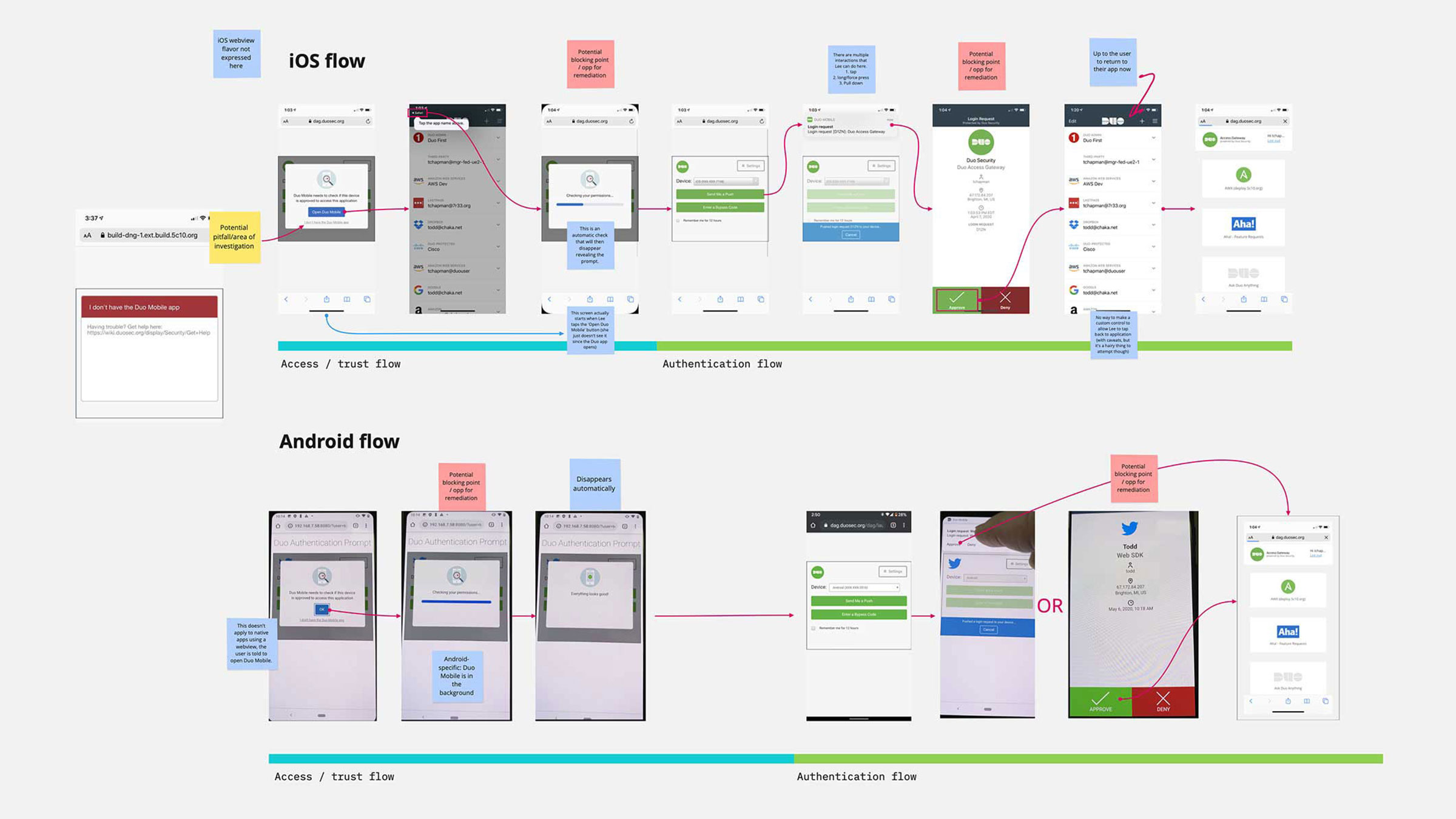
Discovery revealed six different workflows, each user group amplified the problem for the others
Analytics showed how big our problem really was
81% of checks used Device Trust, affecting roughly 8 out of 10 users in our enterprise customer base.
This wasn't a small feature improvement. If we didn't fix this fast, we'd see more downgrades and lost business.
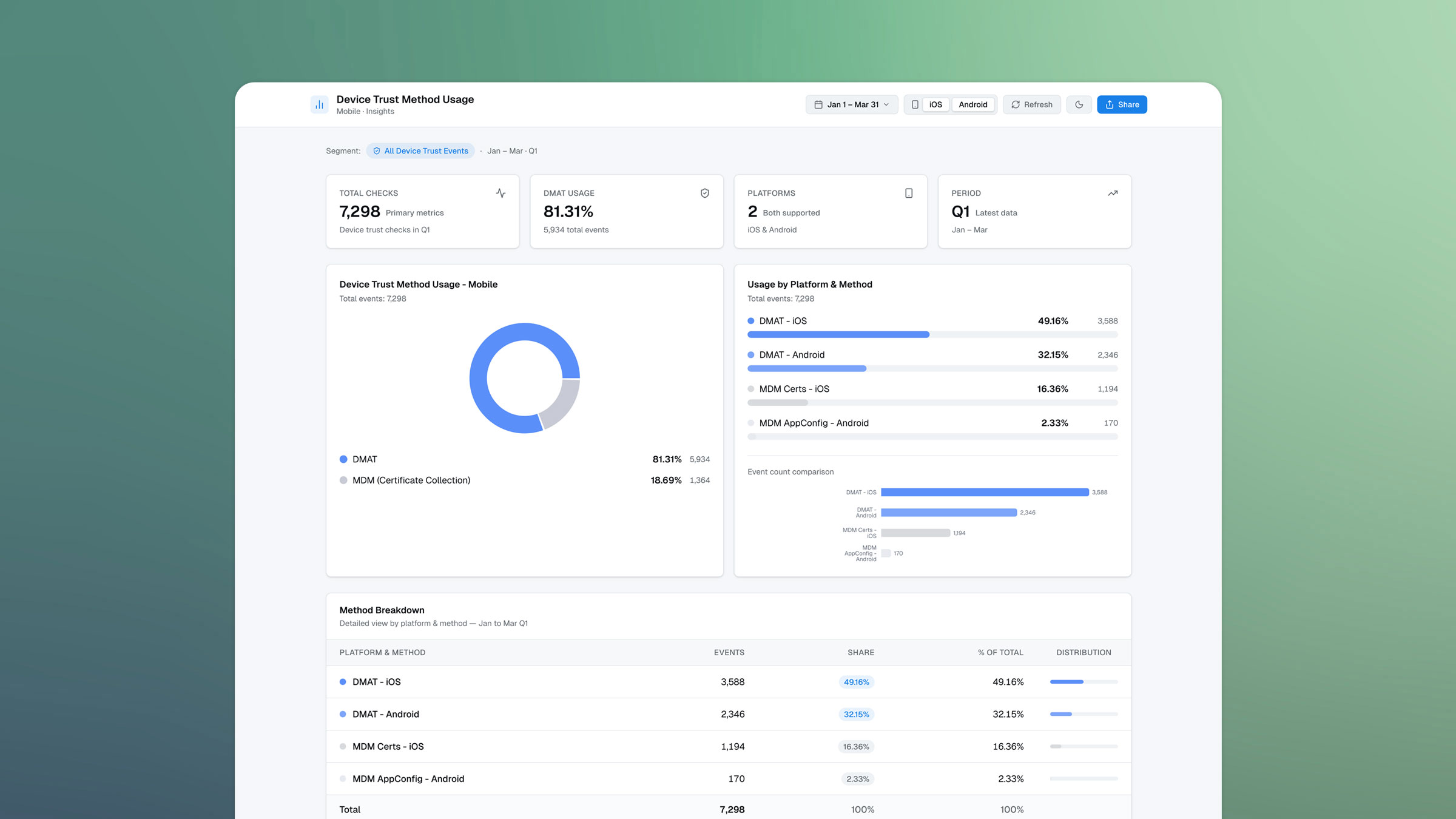
Usage analytics showed roughly 8 out of 10 users were affected in our enterprise customer base
Evaluating our path forward
I facilitated our evaluation of a few approaches: improve our product documentation (fast solution but doesn't solve our underlying problem), rebuild the backend (perfect UX but far too engineering heavy), or retire certain workflows and consolidate the experience (meaningful improvement in 14 weeks, but removes functionality some customers rely on).
Each path had consequences: ship fast but change little, build the ideal solution too slowly, or make a possibly controversial trade-off that could alienate certain customers. We needed to choose among speed, perfection, and pragmatism.
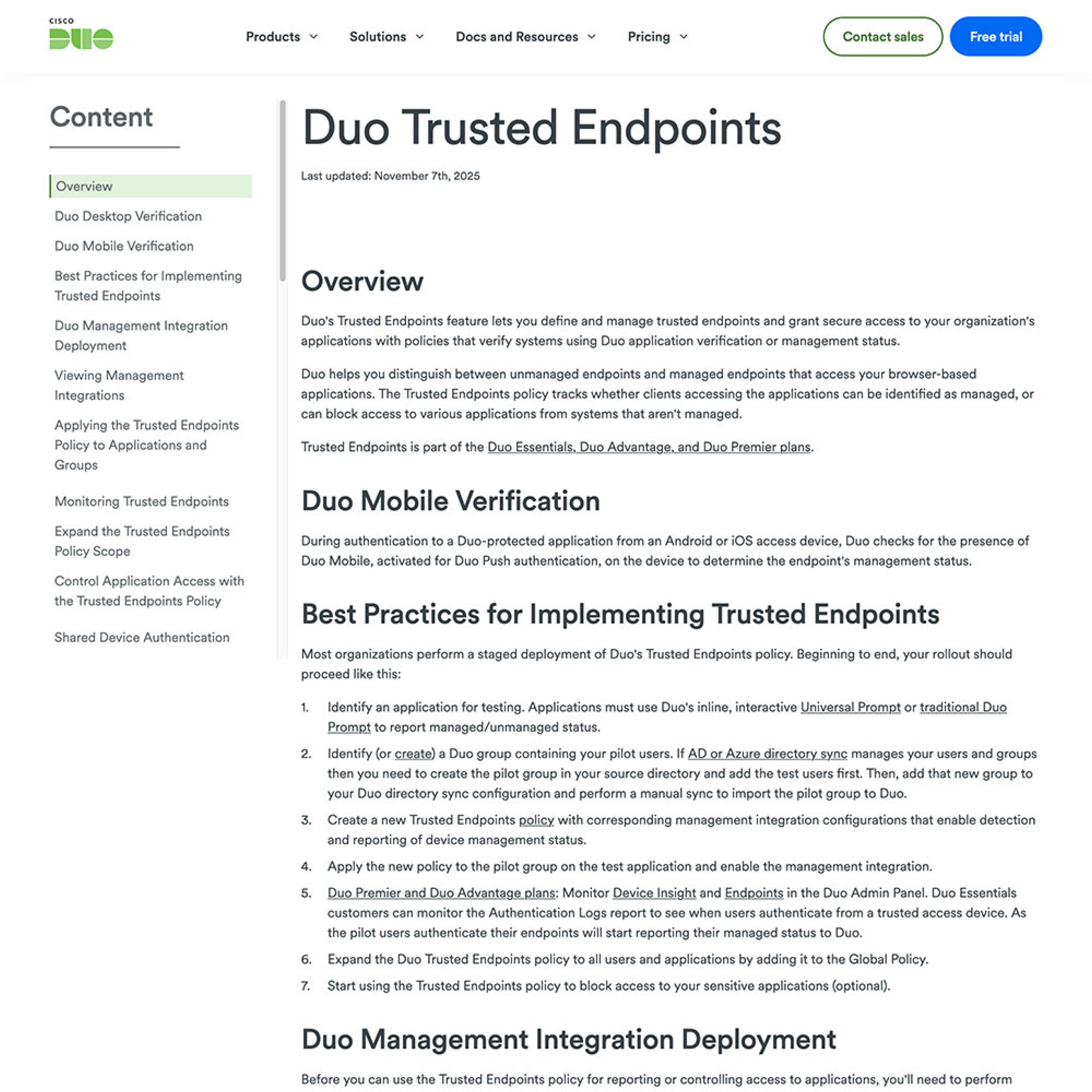
Improve documentation: fast but doesn't solve the root cause

Rebuild backend: perfect UX but 6+ months of lift
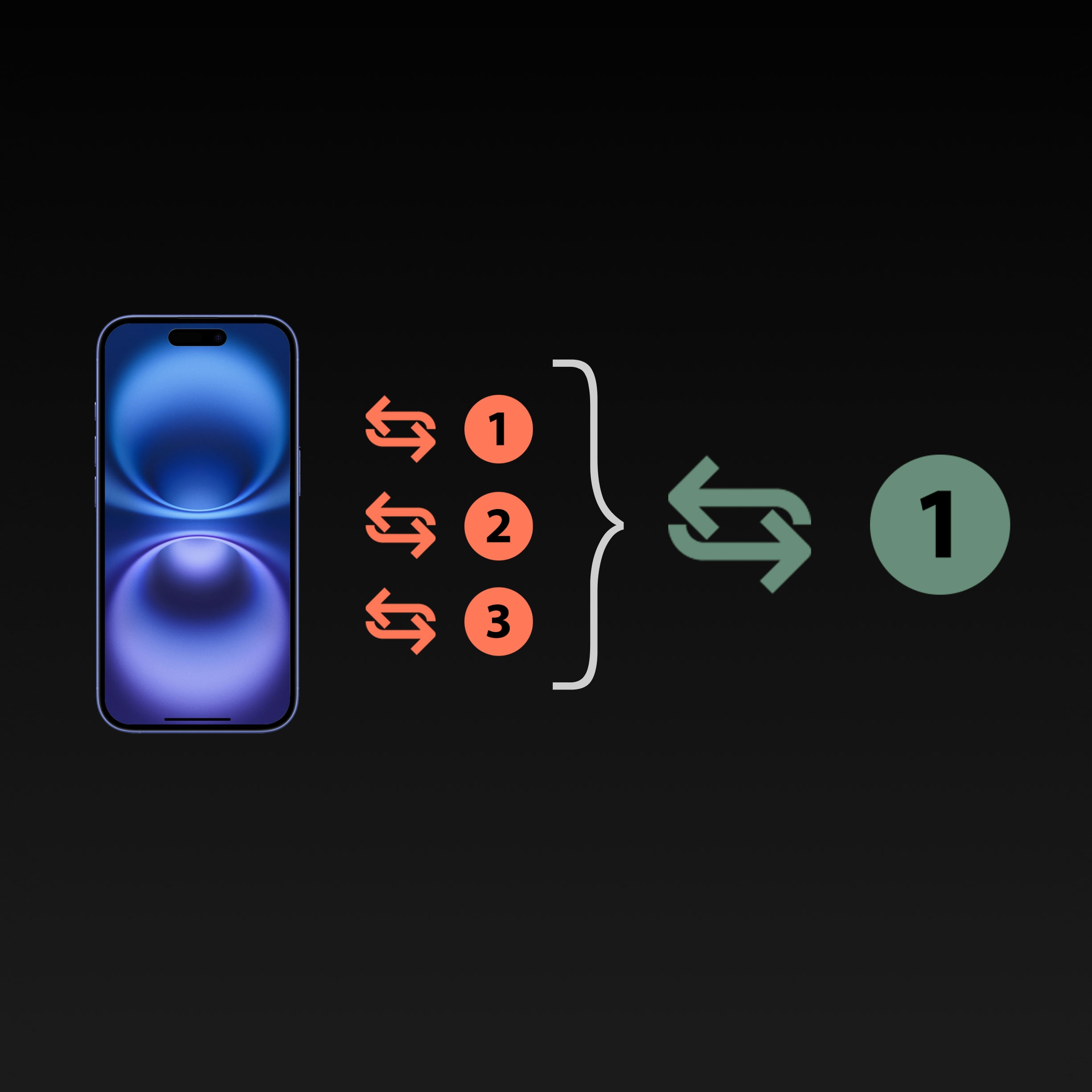
Consolidate workflows: meaningful improvement in 14 weeks (recommended)
We chose consolidation over perfection
Consolidation was the only option that reduced unpredictability, worked within tech constraints, AND shipped fast enough to stop our churn. I led the redesign to retire our legacy "certificate" workflows so Device Trust could operate within a predictable pattern. This solution also shipped within our timeline without rebuilding the backend.
The trade-off
Certain customers' employees went from a zero-step invisible process to 2-3 steps. We bet that organizational predictability mattered more than individual flow efficiency. And at enterprise scale, consistency beats perfection.
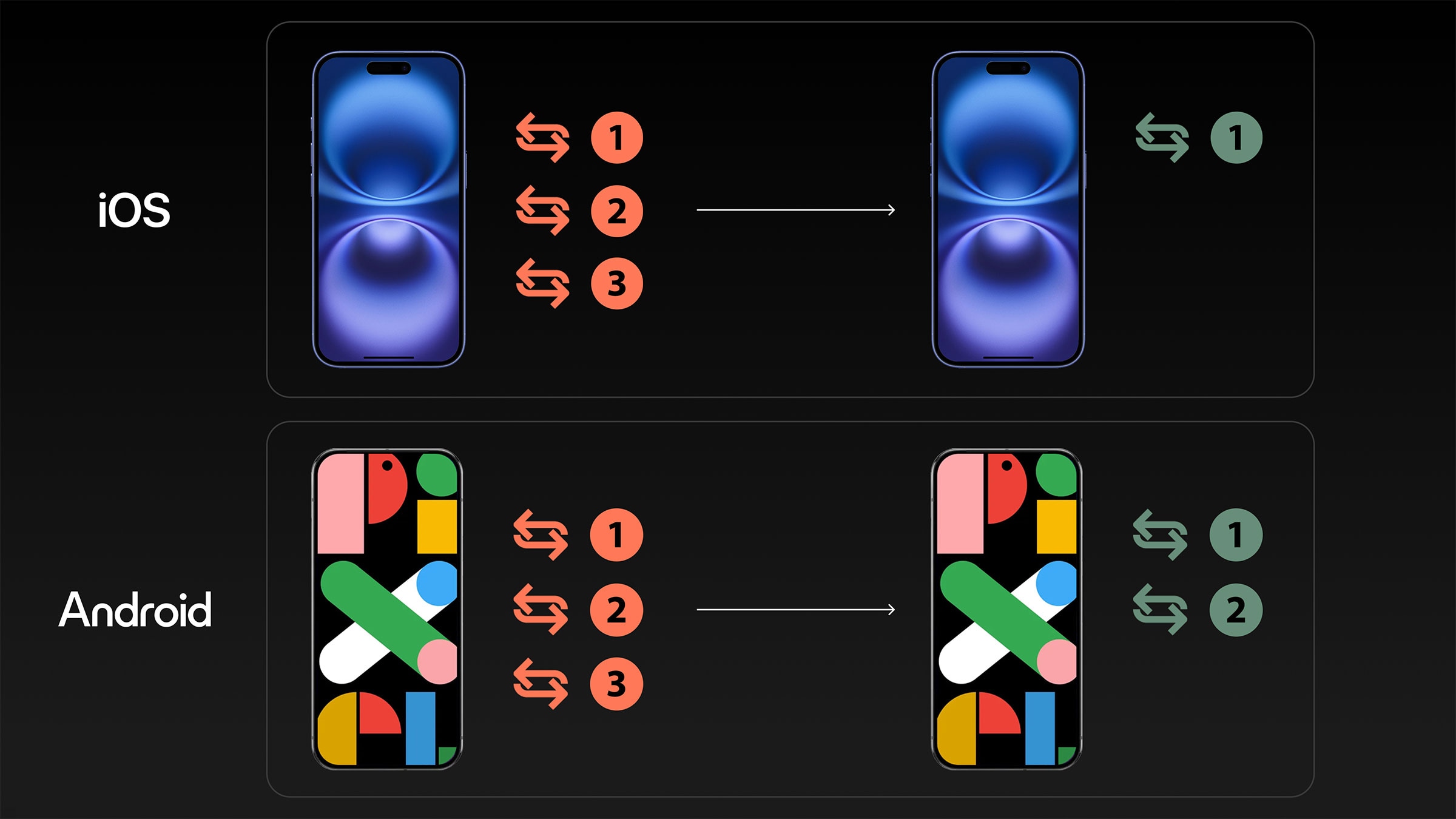
Consolidation reduced 6 unpredictable workflows to a predictable pattern
Designing a predictable pattern
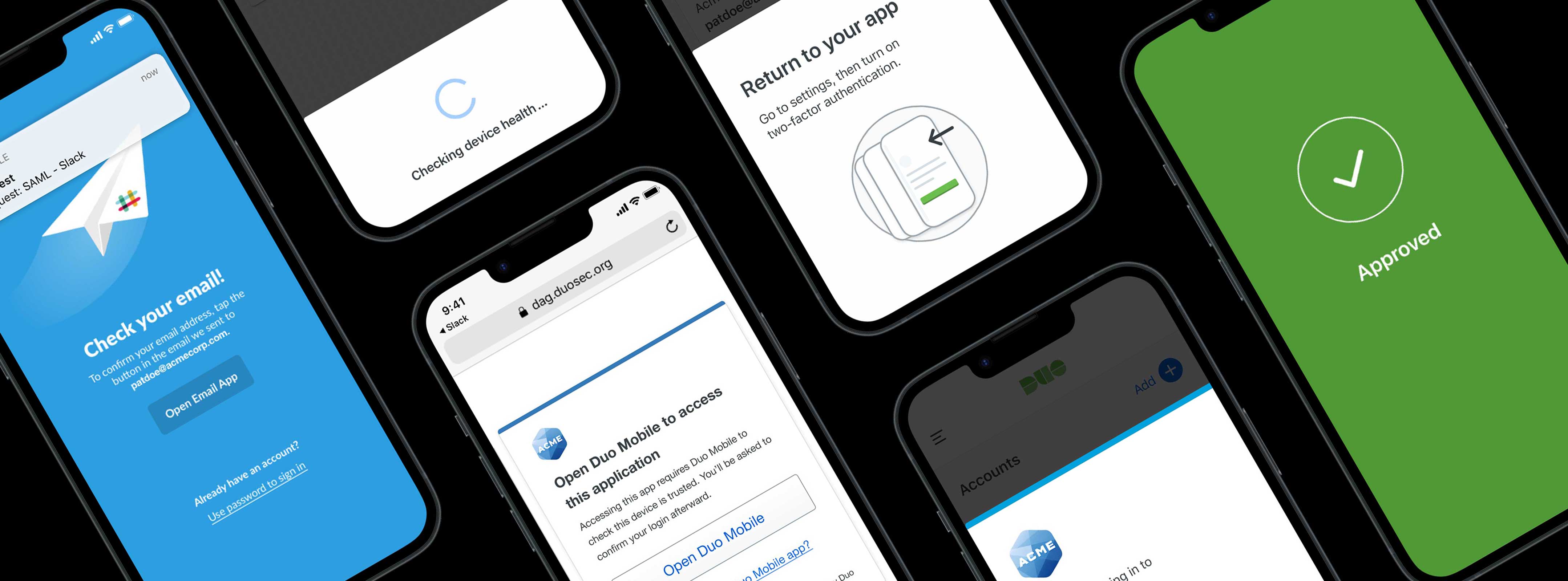
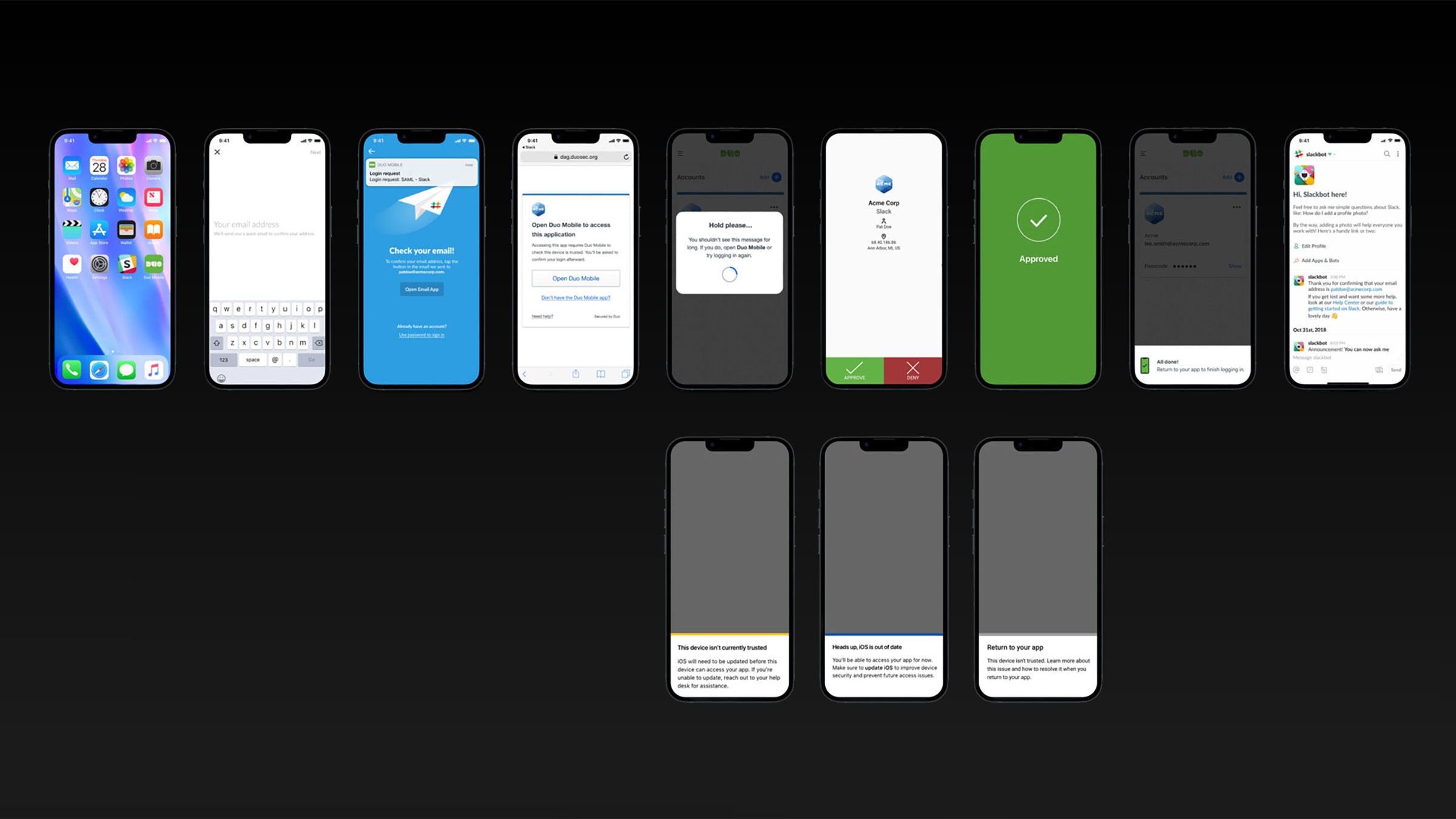
That decision required designing three flows that felt like a system, not separate solutions. I designed this pattern to be consistent using the same visual language, interaction model, and instructional design.
Phone differences didn't disappear—iOS and Android still behave differently—but I contained that complexity within a single trust check method instead of multiplying it across two parallel methods. IT admins could finally train their Help Desk on a pattern, not 6 unpredictable flows.
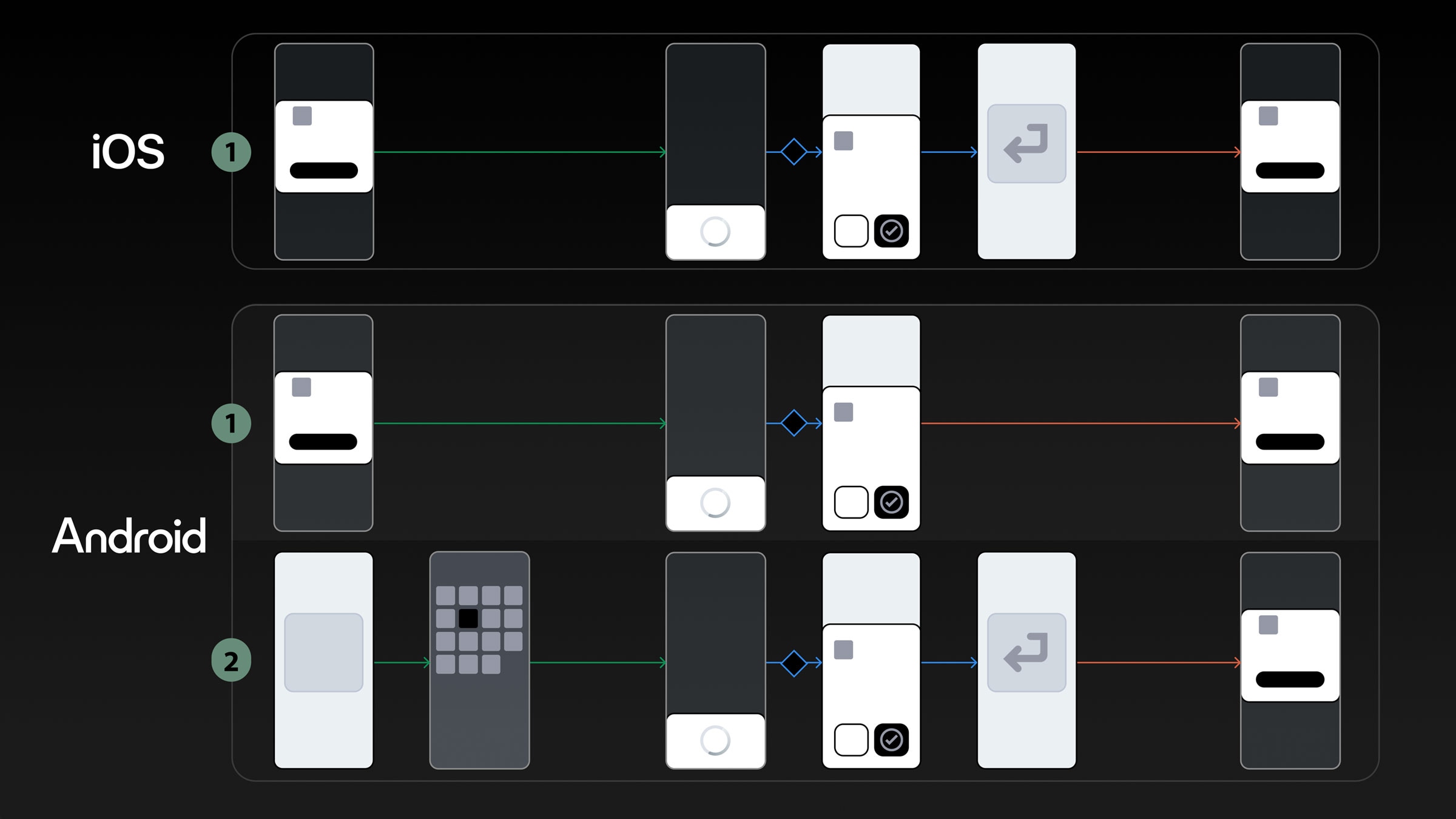
Three flows were designed to be predictable and consistent
Beta testing validated the trade-off
We'd retired workflows some customers relied on. Before rolling out to 10,000+ enterprise accounts, we beta tested with strategic customer partners to validate the tradeoff.
The signal that told us to proceed: zero escalations in 30 days and faster Help Desk resolution. That validation from the field gave us confidence to scale this market-wide.
Zero escalations and faster help desk resolution signaled the redesign was ready to scale
Zero downgrades citing Device Trust post-launch
We shipped the new design in 14 weeks and our retention crisis stabilized—zero customer downgrades citing Device Trust post-launch, with feature adoption increasing among key customers. Help Desk reported faster resolution times because they could troubleshoot without diagnosing multiple workflows, and IT admins deployed confidently because they could finally predict the experience.
We stabilized retention through a predictable experience that customers could trust
See it in action
This prototype demonstrates the consolidated workflow that replaced six unpredictable flows.
Checking for device trust is just a blip on an end user's radar as they follow a clear path to get to their company's Slack account.
(The prototype loops automatically—look for the highlighted starting point.)
Next up
Indeed